

Most business owners treat hosting support as a safety net they hope to never use. That’s a costly mistake. Support in WordPress hosting is more than just fixing things when they break — it’s an active layer of your business infrastructure that affects uptime, revenue, and your reputation. For agencies managing dozens of client sites, or SMBs where every hour of downtime translates to lost sales, the quality of your host’s support team can be the difference between a minor hiccup and a full-blown crisis. This guide breaks down exactly what great support looks like, where the boundaries are, and how to evaluate it before you sign anything.
Table of Contents
- Why support quality makes or breaks WordPress hosting
- Defining the scope: What support includes (and what it doesn’t)
- Reactive vs. proactive support: Which actually keeps your site online?
- Edge cases and advanced support: Handling tough WordPress challenges
- Choosing and testing WordPress hosting support before you commit
- Why prioritizing strong support is non-negotiable for SMBs and agencies
- Take the next step with expert WordPress hosting support
- Frequently asked questions
Key Takeaways
| Point | Details |
|---|---|
| Support quality matters | Expert hosting support directly impacts uptime, security, and business continuity for SMBs and agencies. |
| Know support’s scope | Understand exactly what your hosting support will and won’t do before selecting a plan. |
| Proactive beats reactive | Preventing issues is far more valuable than simply fixing them after they occur. |
| Test support before committing | Always evaluate support teams with real questions to ensure they meet your needs. |
| Premium support pays off | Investing in advanced, WordPress-specific support reduces risk and stress during high-stakes events. |
Why support quality makes or breaks WordPress hosting
With the stage set, let’s explore why support matters as much as the server specs for your business.
Your hosting plan might boast NVMe storage, high single-core CPU performance, and a 99.9% uptime guarantee. But none of that matters if the team behind it can’t help you when something goes wrong at 2 a.m. on a Friday. Support quality includes availability, fast resolution, technical WordPress expertise, and strategic partnership — not just a ticket queue.
When support fails, the consequences are real and measurable:
- Lost revenue: An e-commerce site down for two hours during a product launch can wipe out thousands in sales.
- Reputation damage: Clients notice outages. Agencies that can’t resolve issues quickly lose contracts.
- Stress and time drain: Hunting through forums or waiting hours for a generic response pulls you away from work that actually grows your business.
- Security exposure: Slow response to a vulnerability means longer windows for attackers.
Think about this scenario: a plugin update breaks your WooCommerce checkout at 11 p.m. on a Sunday. A host with a generic support team will tell you to deactivate plugins and wait. A host with true WordPress experts will identify the conflict, roll back the update, and have your checkout live again within the hour. That difference is everything.
“The best hosting support doesn’t just react to problems — it understands your WordPress environment well enough to anticipate them.”
The regular maintenance benefits that come with expert hosting support extend far beyond patching. They include consistent performance monitoring, security hardening, and proactive communication. For SMBs and agencies, these aren’t luxuries — they’re operational necessities.
When evaluating a host, look beyond the spec sheet. Ask how their support team is structured, what their average response time is, and whether their staff holds actual WordPress certifications. The answers will tell you more than any marketing page.
Defining the scope: What support includes (and what it doesn’t)
Understanding its significance, we’ll next draw the lines on precisely what support is responsible for — and what you’ll need other resources to handle.
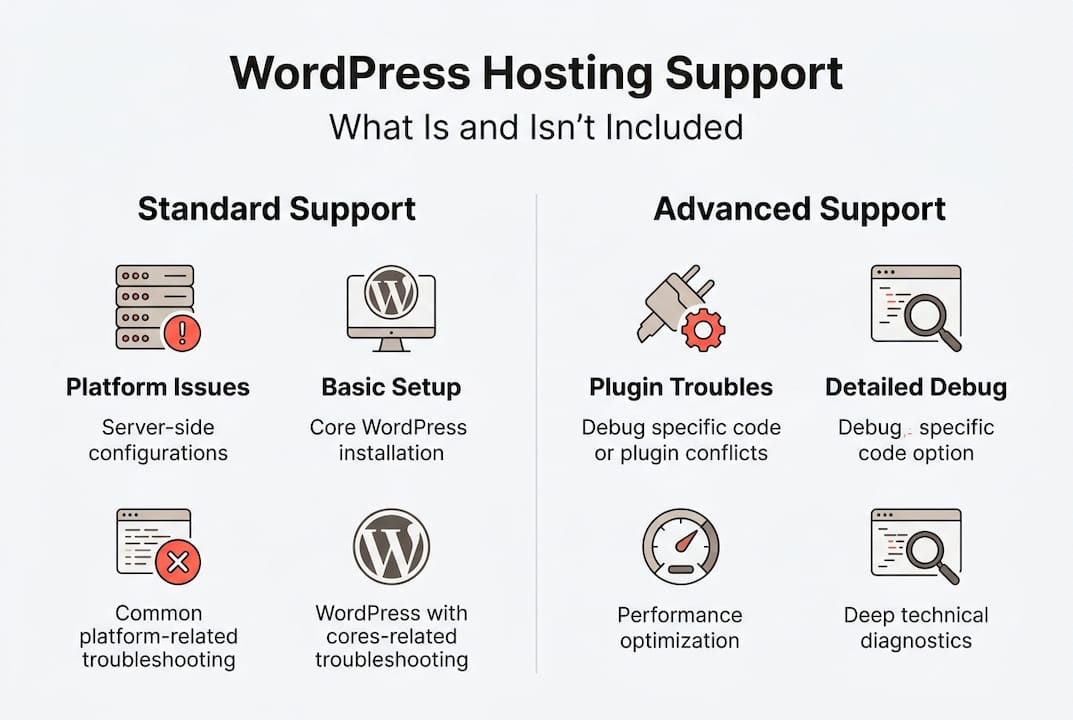
Not all support is created equal, and knowing the boundaries upfront saves you from nasty surprises. Most managed WordPress hosts cover a defined set of issues, and anything outside that scope typically requires a developer or a premium add-on.
What’s typically included in managed WordPress hosting support:
- Server-side errors (500 errors, database connection issues)
- Basic WordPress configuration (wp-config.php, permalink settings)
- Performance troubleshooting for WP-admin slowness
- Limited plugin conflict identification
- SSL certificate setup and renewal
- Malware scanning and removal (on managed plans)
What’s commonly excluded:
- Custom theme or plugin development
- Advanced third-party plugin debugging
- Full design modifications
- Migrating complex multisite networks without a paid service
Support scope covers platform issues, basic configuration, WP-admin slowness, and limited plugin troubleshooting — but not full design, code, or all plugin debugging. This is standard across most premium hosts.
| Support area | Standard hosting | Managed WordPress hosting |
|---|---|---|
| Server errors | Basic | Full coverage |
| Plugin conflicts | Rarely | Partial to full |
| Security patching | Manual | Automated + assisted |
| Custom code help | No | No |
| WordPress core updates | No | Yes |
| Staging environments | No | Yes |
Pro Tip: Before signing up with any host, ask them directly: “If a plugin update breaks my site, what exactly will your team do?” Their answer reveals more about real support quality than any SLA document.
For ongoing peace of mind, staying on top of updating WP plugins is a shared responsibility between you and your host. And if you’re unsure what a healthy WordPress maintenance routine looks like, that’s worth exploring before you commit to any hosting plan.
Reactive vs. proactive support: Which actually keeps your site online?
Scoping the limits is crucial, but the real difference often lies in how a host approaches problem-solving — are they reactive or truly proactive?
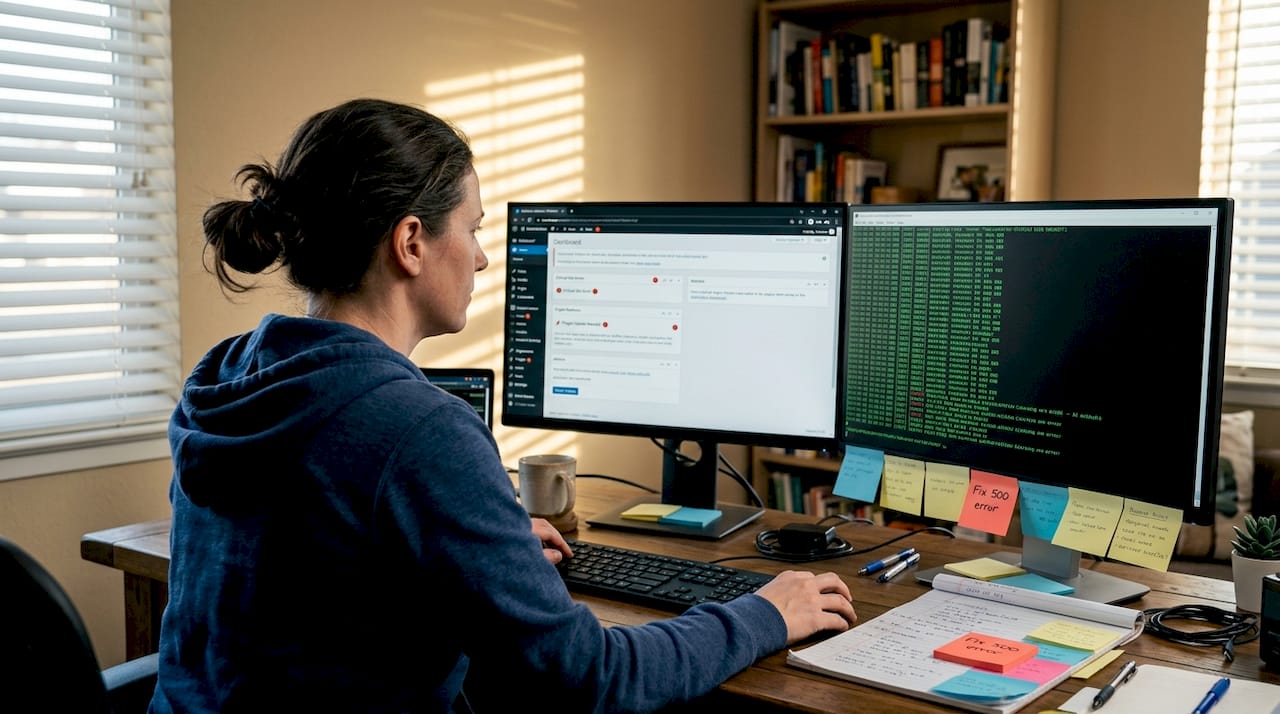
Reactive support waits for you to report a problem. Proactive support finds and fixes issues before you even know they exist. That distinction sounds simple, but the operational gap between the two is enormous.
Here’s how they compare in practice:
| Approach | Trigger | Example |
|---|---|---|
| Reactive | You report a problem | Site down, you open a ticket |
| Proactive | Host detects an anomaly | Uptime monitor flags slowdown, host investigates |
Proactive support like uptime monitoring, security scans, and routine audits prevents over 70% of issues before they ever reach your inbox. That’s not a minor efficiency gain — that’s the difference between a site that runs quietly in the background and one that demands your attention constantly.
The core tasks that define proactive support include:
- Continuous uptime monitoring with automated alerts
- Scheduled security scans and vulnerability patching
- Automated and verified backups with tested restoration
- Plugin and core update management with staging validation
- Performance benchmarking to catch degradation early
Elite managed hosts consistently hit metrics like greater than 97% customer satisfaction and live chat response times under five minutes. Those numbers aren’t accidental — they’re the result of investing in proactive systems rather than reactive firefighting.
The proactive maintenance benefit also shows up in your bottom line. Fewer emergencies mean fewer hours spent on crisis management and more time building your business. Following WP hosting support best practices means choosing a host that treats prevention as a core service, not an optional upgrade.
Edge cases and advanced support: Handling tough WordPress challenges
It’s not just about the basics — when your site faces a complex issue or traffic spike, this is where advanced support capabilities become your best insurance.
Plugin conflicts, database table locks, and sudden traffic spikes don’t follow business hours. These are the edge cases that separate truly expert support teams from generic help desks. When a conflict between a caching plugin and a payment gateway silently breaks checkout, you need someone who knows WordPress at the code level.
Expert teams use specific tools and methods to resolve these situations:
- WP-CLI: Command-line access to WordPress for bulk operations, plugin management, and database repair without touching the admin panel.
- Server logs: Raw PHP error logs and access logs reveal exactly where a conflict originates.
- Staging environments: Reproducing the issue in a safe copy of your site before applying any fix to production.
- Database optimization tools: Identifying and resolving table locks or bloated tables that cause admin slowdowns.
Edge case resolution like plugin conflicts requires expert tools including WP-CLI, server logs, and staging environments, plus deep WordPress knowledge. Generic IT support simply doesn’t have this toolkit.
The value of access to real WordPress experts versus general IT staff becomes obvious during these moments. A generalist will suggest reinstalling WordPress. An expert will isolate the conflicting function, identify the hook causing the issue, and implement a targeted fix in minutes.
For agencies managing client sites, the stakes are even higher. A client’s site going down during a product launch or a major campaign is not just a technical problem — it’s a relationship problem. That’s why maximizing WordPress support through your hosting partner is a strategic business decision, not just a technical one. For high-stakes environments, reviewing enterprise-level support details gives you a benchmark for what truly expert support looks like at scale.
Pro Tip: During your host evaluation, submit a genuinely tricky support question — something like “How would you handle a WooCommerce checkout conflict after a WP 6.x update?” The depth and speed of the response tells you exactly what you’re getting.
Choosing and testing WordPress hosting support before you commit
Mastering advanced challenges is one thing, but how do you ensure that your host’s support really measures up before you’re locked in?
The smartest move you can make before purchasing a hosting plan is to treat the sales and pre-purchase support interaction as an audition. Most buyers skip this step entirely and regret it later.
Here’s a practical checklist to run through before you commit:
- Test response time: Submit a support ticket or start a live chat at an off-peak hour. Measure how long it takes to get a real, relevant answer.
- Ask WordPress-specific questions: “How do you handle PHP memory limit errors?” or “What’s your process for resolving plugin conflicts?”
- Confirm 24/7 availability: Not just chatbots — ask if human WordPress experts are available around the clock.
- Request SLA details: What response times are guaranteed? What happens if they miss them?
- Ask about staging support: Can they help you test changes before pushing to production?
- Clarify agency or multi-site support: If you manage multiple client sites, ask how support scales across accounts.
“Test support with real WordPress-specific queries before signing up — the quality of those answers is your most reliable preview of what you’ll get when things go wrong.”
For agencies especially, the ability to open a ticket on behalf of a client site and get expert help fast is non-negotiable. A support testing checklist approach combined with a clear understanding of maintenance and support expectations will save you from expensive hosting mistakes.
Why prioritizing strong support is non-negotiable for SMBs and agencies
Having covered how to test hosting support, let’s get real about what actually matters when you run multiple sites or depend on your site for business — this is where experience becomes your shortcut.
Most buyers make their hosting decision based on price and storage. Support is an afterthought — until it isn’t. We’ve seen this pattern play out repeatedly: a business chooses the cheapest plan, everything seems fine for months, and then one critical failure exposes the gap. The “savings” from a budget host evaporate fast when you’re paying a developer emergency rates to fix something a good support team would have handled in 20 minutes.
The uncomfortable truth is that cheap hosting often costs more over time. Downtime during peak traffic, slow security responses, and hours spent troubleshooting issues that a managed host would prevent — these have real dollar values that never appear on the hosting invoice.
For agencies, there’s another layer. Your reputation is tied to your clients’ uptime. When a client’s site goes down, they don’t call their server — they call you. Having agency-focused hosting with expert support behind you means you can respond confidently and resolve issues fast, instead of scrambling.
The ROI of premium WordPress hosting support isn’t theoretical. It’s the emergency avoided, the client retained, and the weekend you didn’t spend firefighting.
Take the next step with expert WordPress hosting support
Now that you know why hosting support is mission-critical, here’s how you can put this knowledge to work for your business.
At WP Tango, we built our managed WordPress hosting around the reality that SMBs and agencies can’t afford support that’s slow, generic, or unavailable. Our team provides true 24/7 WordPress expert support — not scripts, not bots, but real people who know WordPress inside and out.
Whether you’re managing a single business site or a portfolio of client sites, our WordPress hosting for agencies is designed to scale with your needs. From proactive monitoring to hands-on troubleshooting, we handle the technical complexity so you can focus on growth. Explore our plans and see what genuinely expert support feels like.
Frequently asked questions
What does WordPress hosting support usually include?
Most hosts cover platform features, basic WordPress configuration, and limited plugin or theme help, but not custom code or advanced design fixes.
How do I check if a host really offers WordPress expertise?
Test support with WP-specific queries before buying and ask directly about guaranteed response times and whether their staff has WordPress certifications.
What’s the difference between proactive and reactive support?
Proactive support uses monitoring and scheduled maintenance to prevent problems, while reactive support only responds after issues arise and affect your site.
Why do some hosting plans cost more for better support?
Premium plans fund faster response times, deeper WordPress expertise, and hands-on help with complex issues — premium support varies significantly by package and provider.
Can support help during high-traffic events or emergencies?
Yes — managed hosts with WP-expert support handle updates, security, and performance issues during traffic spikes, keeping your site stable when it matters most.